
01
Open + Preview
Open GPX files, inspect route distance and points, and see the track on a map before making changes.
GPX Fixer helps hikers, cyclists, runners, route planners, and anyone working with GPX files preview routes, safely fix common structural problems, edit tracks, and export clean files.
No account. No location permission. GPX files are processed on your device.
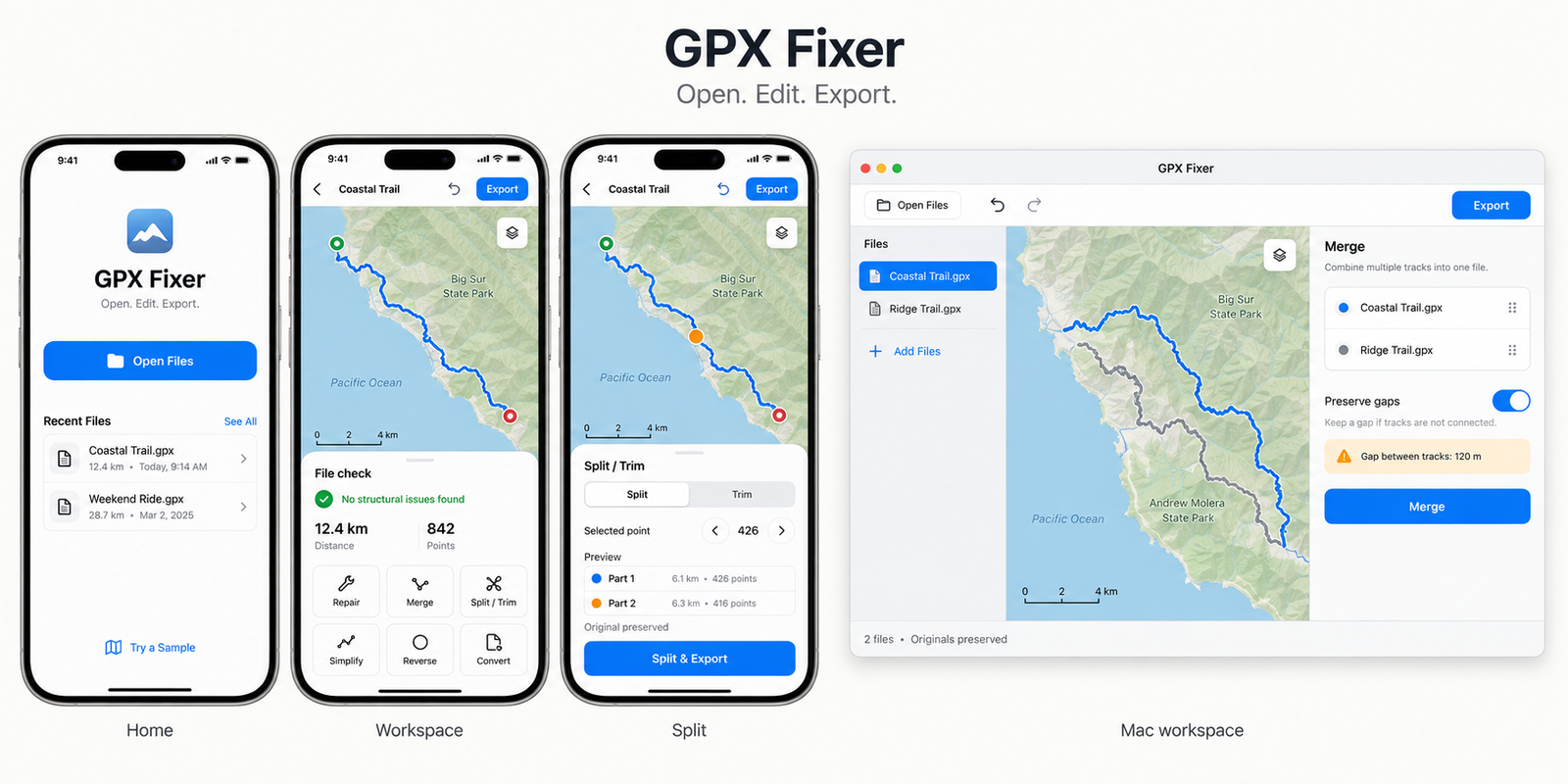
GPX Fixer keeps the original import preserved while you preview tools, apply edits, and export in the format your next app or device needs.
Open GPX files, inspect route distance and points, and see the track on a map before making changes.
Find and safely fix common structural GPX problems such as invalid coordinates or duplicate records.
Simplify dense tracks, trim or split files, reverse direction, and merge multiple tracks into one route.
Preview repairs, compare the original and edited route, then export the result when it looks right.
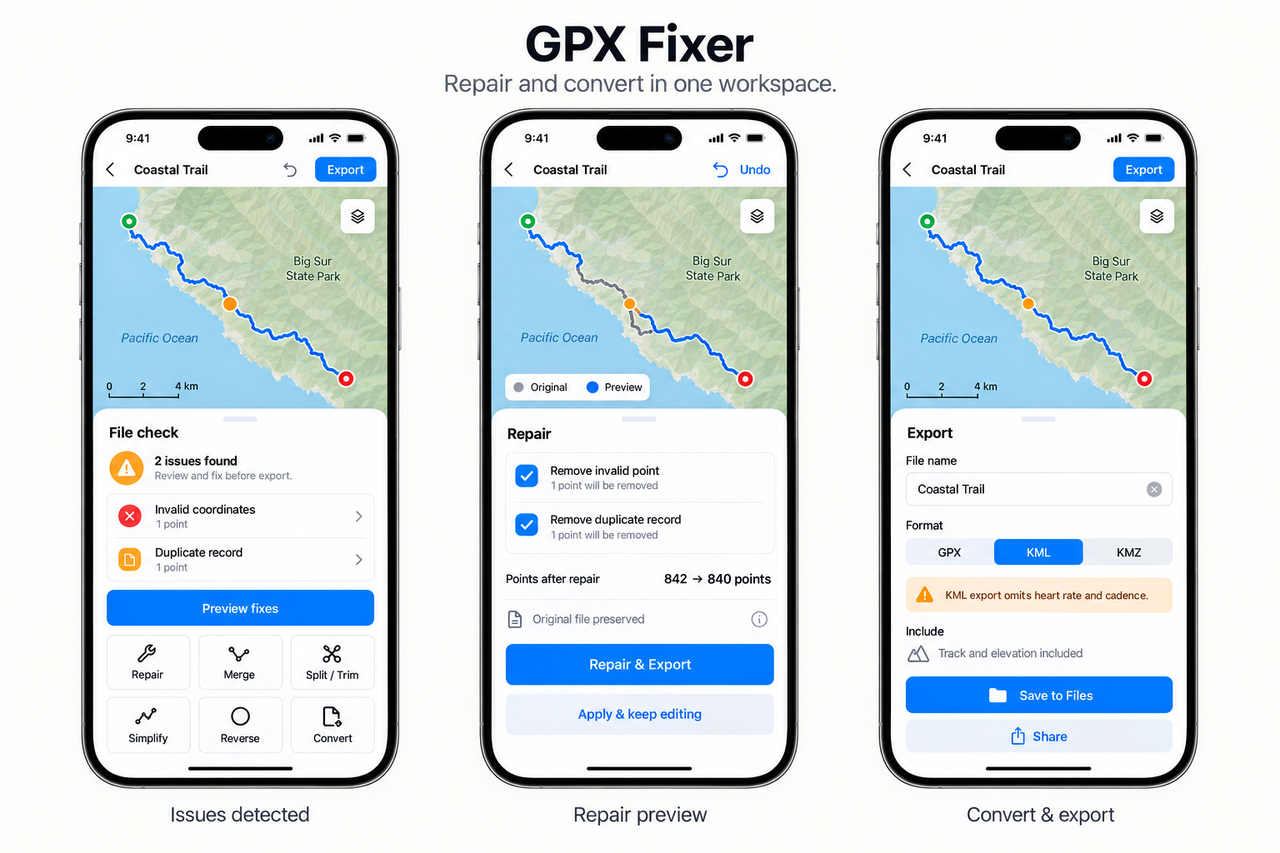
Review common file issues, apply selected fixes, and convert to GPX, KML, or CSV.
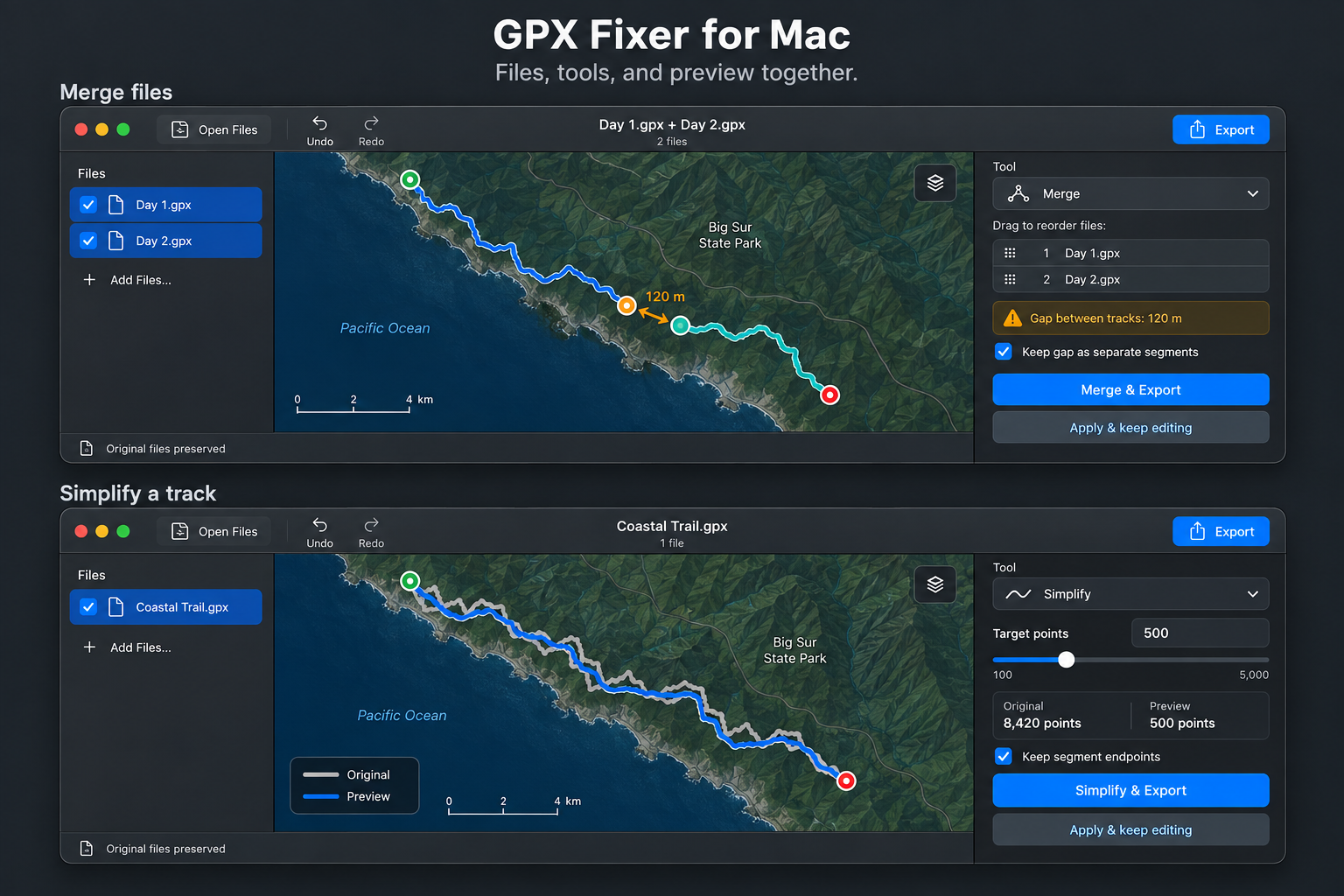
Work with files on the device that fits the job, from a trail-side phone check to a larger Mac workspace.
Preview tools for free. Upgrade once when you need unlimited editing, exporting, conversion, and merge workflows.
Use repair, simplify, trim, reverse, and merge tools without limits.
Save edited files back to GPX for mapping apps, devices, and archives.
Create KML or CSV exports when another tool needs a different format.
Premium is a non-consumable in-app purchase, not a recurring subscription.
GPX Fixer does not require an account or location permission. Imported GPX files are processed on your device and are not uploaded to a server.
The app is built for local file workflows, with imported originals preserved while you preview and apply changes.
Read our Privacy Policy →